
View Dependent Subscriptions
Starting in Strategy One (June 2026), the Schedules and Events tab is moved under Subscriptions.
Starting in Strategy One (May 2026), you can view dependent subscriptions for intelligent cubes.
Starting in Strategy One (March 2025), you can view dependent subscriptions from the Triggers page.
- Open the Workstation window with the Navigation pane in smart mode.
-
In the Navigation pane, click Dashboards, Reports, Datasets, or Subscriptions > Schedules.
If you are using a version prior to Strategy One (June 2026), schedules are located in Monitors > Triggers.
-
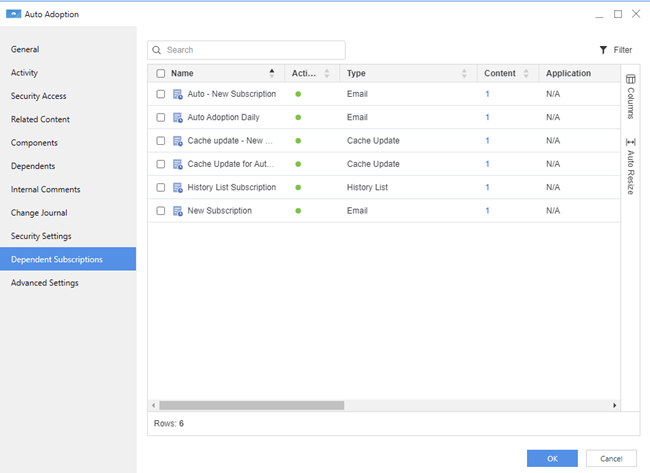
Right–click a dashboard, report, schedule, or intelligent cube and choose View > Dependent Subscriptions.
You can also find this right-click menu option anywhere else you view a dashboard or report in Workstation.
The dashboard, report, or triggers dependent subscriptions display including subscription details such as Name, Type, Application, and more.
-
Click OK.