
MicroStrategy ONE
Null Checking for Analytical Engine
This setting determines whether a null value is interpreted as zero when the Analytical Engine performs calculations. It is found in the Analytical Engine folder of the VLDB Properties (Metric) dialog box, pictured below.
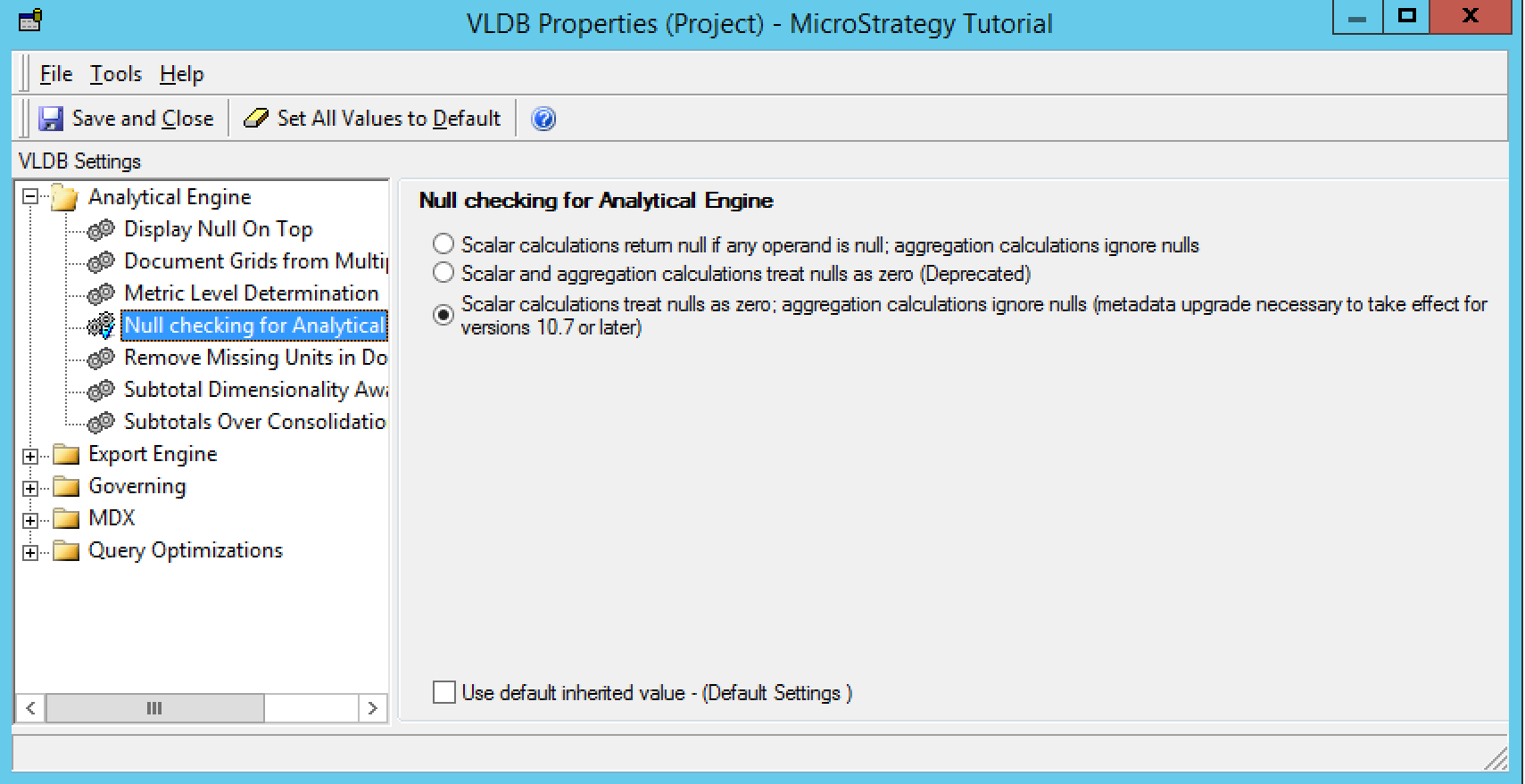
For users with environments and metadata updated to MicroStrategy ONE, the Analytical Engine will ignore null values for aggregation functions in new projects by default. Any existing projects will retain the null checking behavior that was applied before the upgrade. Default null check behavior is applied to function types as follows:
- Aggregation: Ignore nulls
- Scalar (including Date and String functions): Nulls treated as zero
- Boolean: Nulls are treated as nulls
- Rank: Nulls are treated as nulls
- OLAP: OLAP aggregation functions ignore nulls and OLAP non-aggregation functions apply the scalar behavior from the VLDB setting.
Changes made to this VLDB setting can cause differences to appear in your data output. Metrics using count or average, metrics with dynamic aggregation set to count or average, as well as thresholds based on such metrics could be impacted by altered calculation behavior.
You can set replacement text for null values at the report level. For more information, see the Report Formatting chapter in the Basic Reporting Help.