
Duplicate Imported Content
Starting in Strategy (July 2026), you can maintain connectivity when duplicating your spreadsheet to ensure metadata duplicates as well. For more information, see Preserve Strategy Connectivity When Duplicating Google Sheets Files
You can duplicate previously imported content into a specified cell or new sheet.
-
In the side panel, select the object you want to duplicate.
-
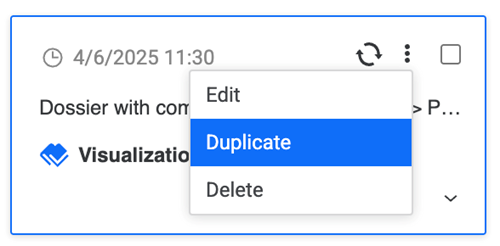
Click More Options and click Duplicate.
-
Select the import destination for your data from the following two options:
-
Active Cell: Select a new cell to duplicate your data.
-
New Sheet: A new sheet containing your duplicated data is created.
-
-
Click Duplicate or if you want to edit your data before you duplicate it, click Edit.