
SDS Seamless Upgrade
Strategy (August 2026) adds a seamless upgrade for SDS. The upgrade includes the following benefits:
-
Manages download, staging, installation, backup, and rollback
-
Notifies you about version availability and version misalignment
-
Reduces down time during upgrades
To use seamless upgrades, you must allow access to the SDS production S3 bucket. If the endpoint is not whitelisted, seamless upgrades will not function.
Recommended Allowlist Configuration
Strategy recommends allowlisting one of the following URLs:
Option 1: The entire bucket
<https://mci-prod-installs.s3.amazonaws.com/*>Option 2: Restricted Endpoints
<https://mci-prod-installs.s3.amazonaws.com/secure-data-service-versions.json>

<https://mci-prod-installs.s3.amazonaws.com/secure-data-service-container-*.zip>

<https://mci-prod-installs.s3.amazonaws.com/secure-data-service-linux-*.zip>
Upgrade Workflow
-
When a new SDS version is available, a blue upgrade icon displays next to the currently installed version. Click the Upgrade
 icon.
icon. -
If you are using a Linux installer or container:
-
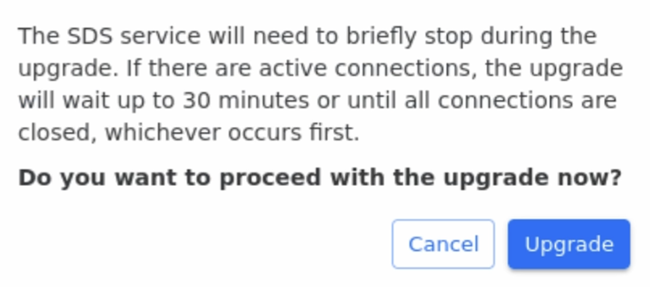
To confirm the upgrade, click Upgrade.
-
SDS waits for the existing connections to close before starting the upgrade.
-
Default timeout: 30 minutes (configurable)
-
The upgrade begins when either all connections are closed or the timeout is reached.
-
-
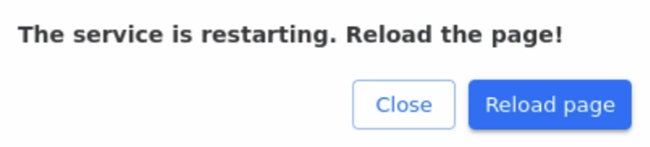
After the upgrade completes, click Reload page to reload the browser page.
-
-
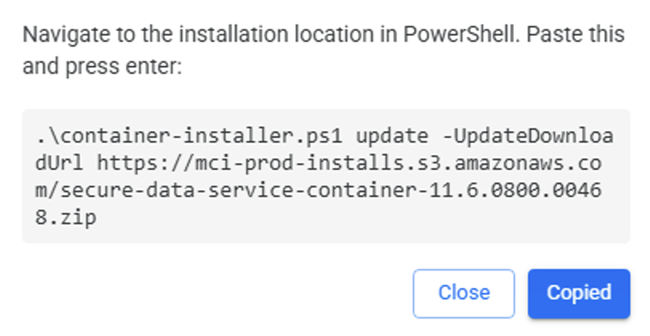
If you are using a Windows container, file permissions for Windows container can be inconsistent across environments (for example, Rancher Desktop vs. Docker Desktop, or the differences between machines). To ensure stability and reliability, the seamless upgrade flow provides a copy-and-paste script command for you to run to complete the upgrade:
-
Click Copy.
-
When you paste the script into the container it performs the following:
-
Performs the upgrade.
-
Optionally removes old images.
-
Optionally store configuration backups.
-
-
Security
The SDS seamlesss upgrade process validates each package before validation by performing the following:
-
Verifies a SHA-256 checksum
-
Performs package content checks
These controls help ensure the downloaded package is authentic and safe to install.