
Customize Naming Instructions
Starting in Strategy One (June 2026), you can customize naming instructions for your Mosaic model. Use this setting to customize your object naming preferences and Strategy will generate object names based on the provided instructions.
-
Create or edit a Mosaic model.
-
Click Settings
 .
. -
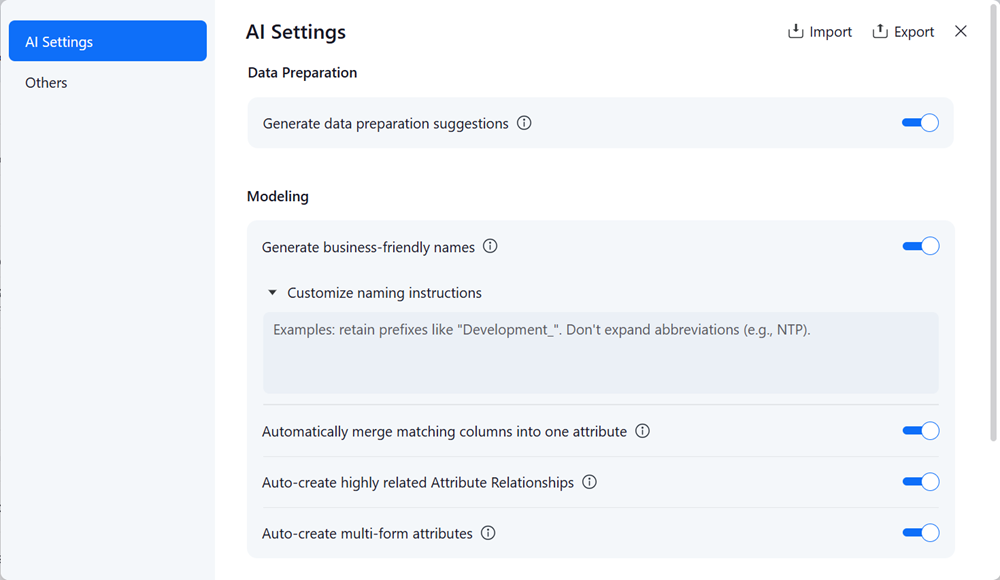
In the left pane, click AI Settings.
-
Enable Generate business-friendly names.
-
In Customize naming instructions, type your custom instructions.
The maximum length of characters is 1500 characters.
-
Click Done.
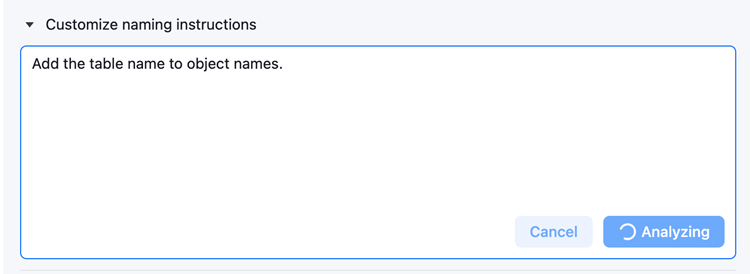
Mosaic Studio then analyzes the instructions and applies them when adding new tables and rebuilding Mosaic models.
This rebuild may affect dependent assets connected to this model, including dashboards, AI agents, and external analytics tools that consume the model (for example, Power BI, Tableau, and other BI platforms). After saving, the rebuild can't be revised.
Instruction Examples
Prefix Handling
Provide an option to retain existing prefixes.
Suffix Handling
-
Provide an option to retain common suffixes such as:
Id,ID,Nbr,Number. -
Provide an option to drop the selected suffixes while preserving the core entity name.
For example,
Country Name>Country
Abbreviation Mapping
Allow users to define abbreviation-to-term mappings.
For example, AG > Agreement
Casing / Style Rules
Use Title Case for labels.
Units and Volume Fields
Include units for volume-related fields.
For example, Download Volume (MB).
Table Name Inclusion
Append the table name to object names.
For example, in labels or display names.
Pattern-Based Column Rules
Keep column1 through column100 unchanged and consistent with their existing names.
Best Practices
-
Use clear and standard expressions
-
Be direct and explicit
-
Be specific and precise
-
Make instructions actionable and identifiable
-
Avoid conflicting rules
-
Examples will improve performance
Limitations
-
Specifying or limiting name length is not supported
-
Specifying the object type is not supported
-
Object type-based naming is not supported
-
Naming custom instructions do not apply to form names
-
Instructions that define invalid names ( including characters such as
",\,[,]) do not take effect.