
Strategy ONE
Viewing more information about a data point on a graph: tooltips
A tooltip displays detailed information about a specific data point on a graph report. Tooltips provide information such as the value of a specific data point, the name of a group, or the label of a graph's X-axis. An example of a tooltip in a pie chart is shown below:
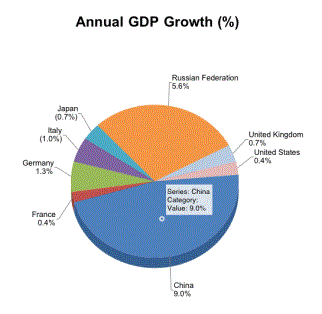
To display a tooltip on a graph report, tap and hold a data point on the graph.