
Duplicate Content
Duplicate Imported Content
You can duplicate previously imported content into a specified slide or a new slide.
-
In the side panel, select the object you want to duplicate.
-
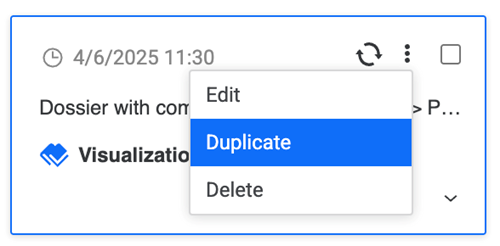
Click More Options and click Duplicate.
-
Select the import destination for your data from the following two options:
-
Slide Number: Expand the drop-down list and choose a slide.
-
New Slide: A new slide containing your duplicated visualization is created.
-
-
Click Duplicate.
Duplicate Presentation
Starting in Strategy (October 2026), when you duplicate a presentation, it maintains its Strategy connectivity.
You can duplicate a presentation to make a copy and use it as a template.
-
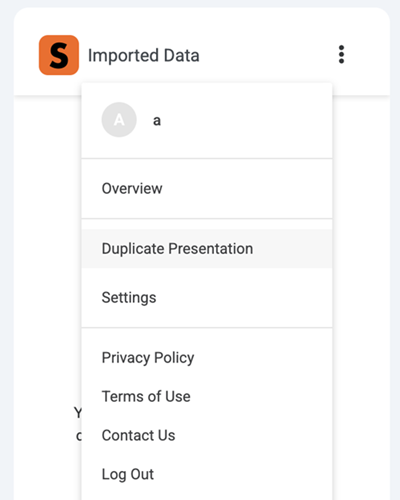
In the side panel, click More Options next to Imported Data and click Duplicate Presentation.
-
Click Make a copy.
The new presentation copy displays.
-
Reconnect to Strategy for Google Slides™.