
Strategy ONE
Analyzing events on a timeline
The Timeline lets you track events or milestones over time. For example, while viewing data for products, you can view milestones for every million units sold, and the state of your business at that point.
The example below shows a Timeline that displays timelines for a set of assets, with markers for events such as the beginning or end of a lease or a new purchase.
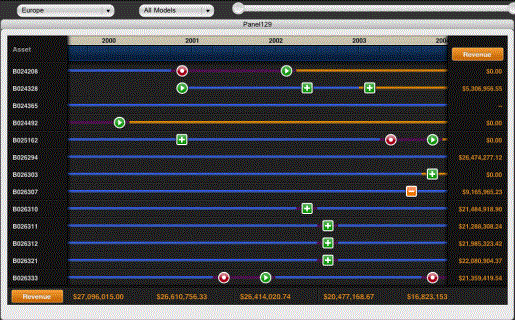
Depending on how the Timeline is configured, you may be able to do the following:
-
Tap an event to view additional information about it.
-
Tap a cell in the left column to view additional information about it.
-
Tap the metric headers on the right or bottom to cycle through the available metrics.