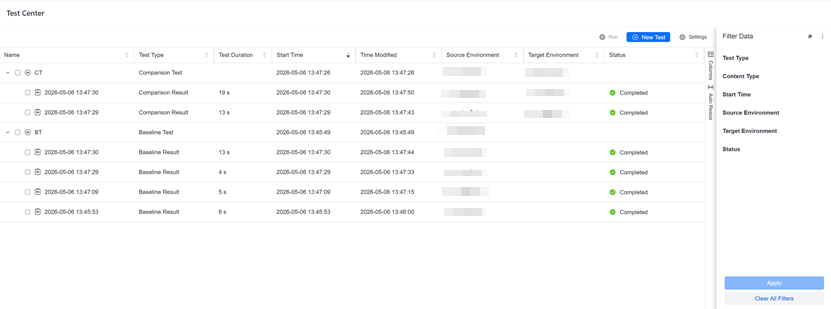
Test Center
Strategy (August 2026) adds support for search objects and updates the New Test clickpath.
Strategy (July 2026) updates the privileges required to use Test Center.
-
Data Import Cube
-
Freeform SQL Cube
-
Intelligent Cube
-
Live Intelligent Cube
-
Python Query Cube
-
Mosaic Model
-
Reports
You must have the server-level configuration privilege, Use Integrity Manager, to use the Test Center. For more information on setting server-level privileges, see Assign Server-Level Configuration Privileges.
For steps to create these tests, see:
- Baseline Test: A Baseline Test forms the foundational “snapshot” of selected content objects in a desired state, including their prompt selections.
- Comparison Test: A Comparison Test evaluates and highlights differences between test runs, baselines, and test result snapshots. Useful for regression checks and migration validations.
Monitor Tests and Results
-
Open the Workstation page.
- In the Navigation pane, click Test Center. The existing tests and test results display.
-
To trigger a test, right-click the test objects and select Run.
-
To trigger multiple test at the same time, select the test objects for multiple tests. Click Run.
-
To delete test and results, right-click the objects and select Delete. When a test is deleted, all its results are also automatically deleted.