
Create an IAM Object with a Generic OAuth Type
-
Open the Workstation page.
-
In the Navigation pane, click Enterprise Security.
-
On the right, click Add Gateway Authorization.
-
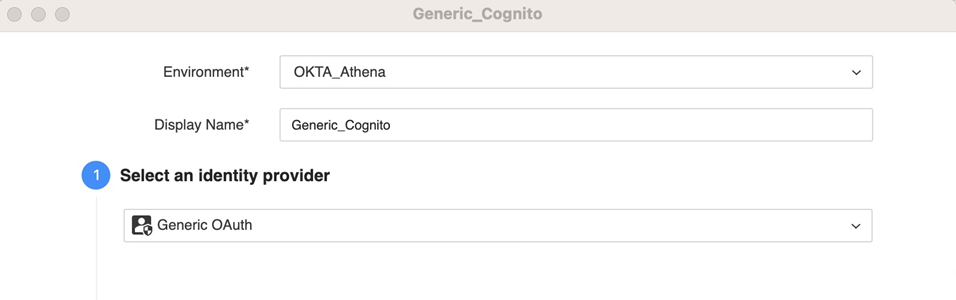
Give the IAM object a Display Name.
-
Select the Generic OAuth IdP type and register the Strategy environment as an application with the provided Login Redirect URIs.
-
Copy and paste the Strategy application configuration fields, including:
-
Client ID
-
Client Secret
-
OAuth URL
-
Token URL
-
Scope
-
-
If additional OAuth parameters are necessary, add them in Additional OAuth Parameters using the following format:
userPoolId=xxxidentityPoolId=xxx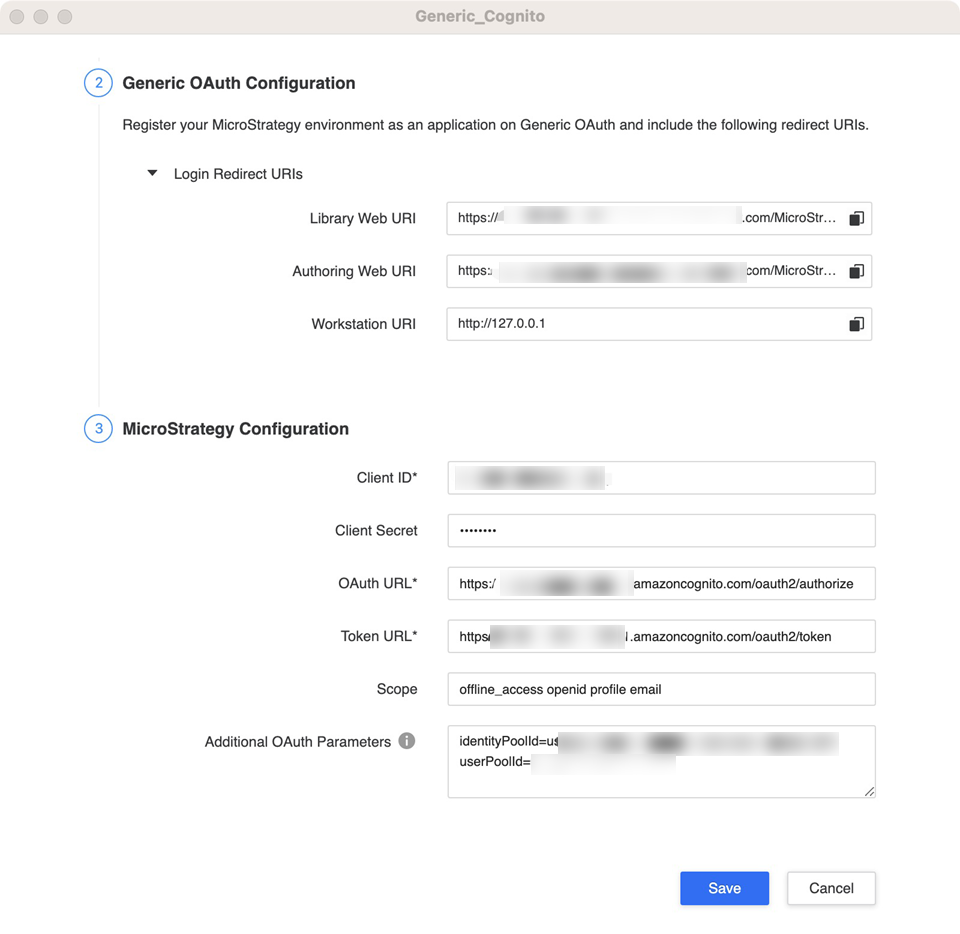
-
Click Save.
Related Topics
Manage OAuth Enterprise Security with Identity and Access Management (IAM) Objects