Export Project-Level Settings and Import Them for Use in Another Project
Administrators can export project-level settings to a .csv file and import them for use with another project.
The ability to view or edit certain settings is determined by a user's privileges. All necessary privileges are included in the Administrator role by default. You must belong to the System Administrators group to use this feature.
-
Open the Workstation page.
- In the Navigation pane, click Projects.
- Right-click the project to export settings from and choose Properties.
- In the left pane, click All Settings.
- Click Export.
- Click Projects in the upper right of the window.
- Right-click the project to use the exported settings on and choose Properties.
- In the left pane, click All Settings.
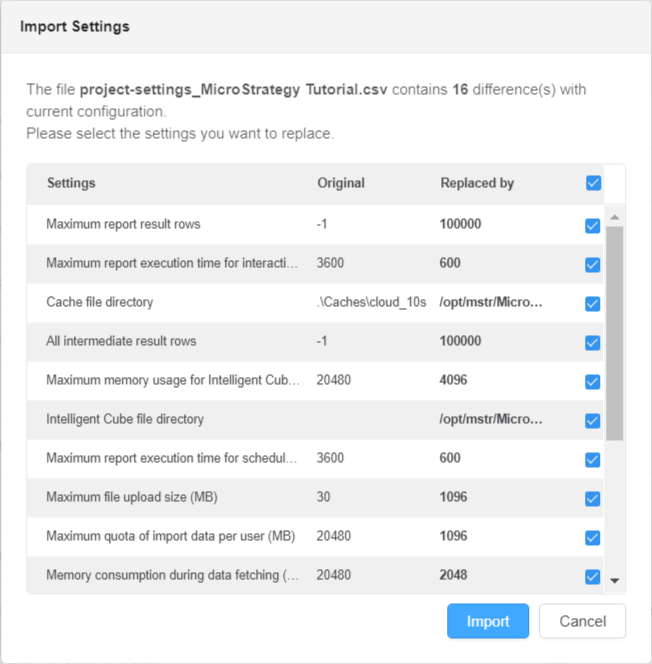
- Click Import and select the file you previously exported.
- Click Import.
- Select the settings you want to replace.
- Click Import.