
Manage Advanced Properties
Intelligent cubes, incremental refresh reports, projects, and data sources all have advanced properties that provide control over analytical calculations and query generation.
To manage advanced properties you must have at least the Use VLDB Property Editor privilege.
To access projects, you also need the Configure Project Basic privilege.
To access data sources, you also need the following privileges:
-
Create configuration objects
-
Create and edit database instances and connections
-
Create and edit database logins
Use Workstation to manage intelligent cubes and incremental refresh reports. You can manage projects and data sources in Workstation
Manage Advanced Properties
-
Open the Workstation page.
-
Use the Navigation pane to locate an Intelligent cube, incremental refresh report, project, or data source.
-
For an Intelligent cube or incremental refresh report, right-click it and choose Edit. Click
 Properties.
 -
For a project, right-click it and choose Advanced Properties.
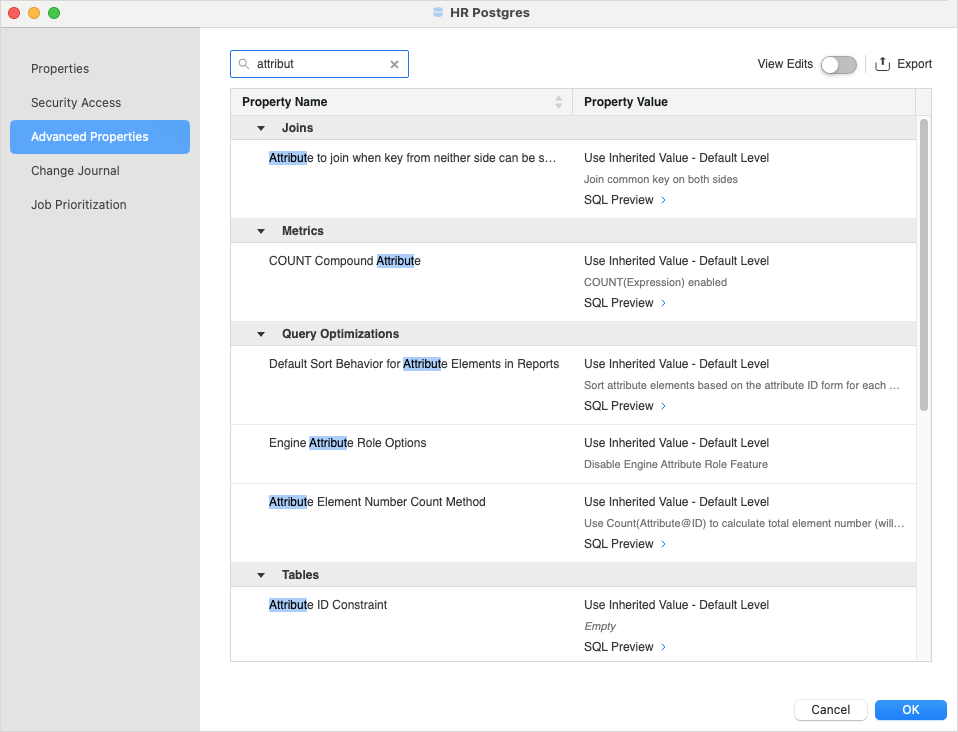
- For a data source, right-click it and choose Properties. In the left pane, click Advanced Properties.
-
Locate the desired property.
-
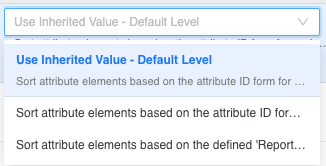
Select the desired Property Value and repeat for other properties.
-
Click Save.