
Connect to a Strategy Environment
-
Open the Workstation page.
-
Click the Account
 icon on the top right.
 -
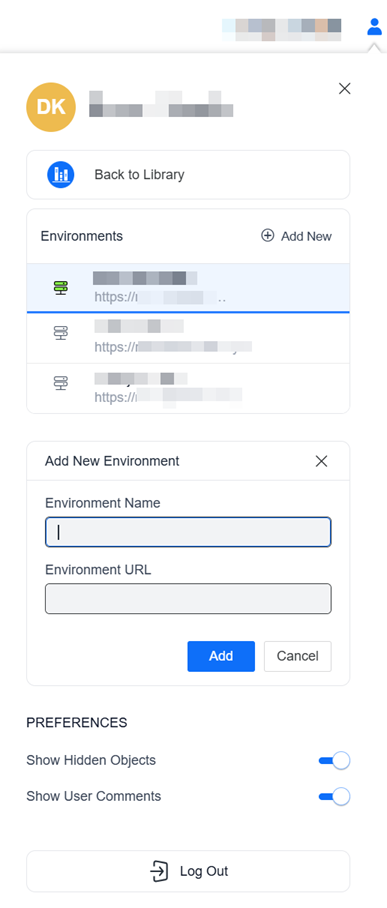
On the Account window, in the Environments area, click Add New. Starting in Strategy (July 2026), select Environment.
-
For information on adding a trusted environment, see Add a Trusted Environment.
-
-
In the Add New Environment area, type a descriptive Environment Name.
-
Type (or copy and paste) the Strategy Library URL in the Environment URL box.
-
Click Add.
-
The environment displays in the list of Environments. Click it to switch to it.