
Control Access to Projects
Administrators can change the security role of a user or user group to allow or deny access to the project.
-
Open the Workstation page.
-
In the Navigation pane, click Users & Groups.
- To update a user group instead of a user, click User Groups,
- Right-click the user or group to add the security role to, and select Roles and Privileges.
-
For each project, select the security role from the ROLE drop-down list above the project.
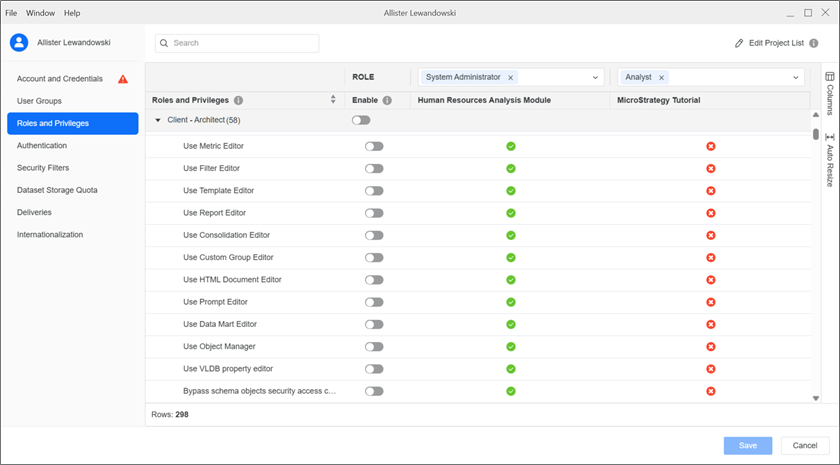
To edit a role, hover over the role in the list and click Edit
 .
. - Click Save.