
View Dependent Subscriptions
Administrators can easily access dependent subscriptions for a specific dashboard or report. View dependent subscriptions from the content page to streamline the viewing process and enhance administrator efficiency.
-
Open the Workstation page.
-
In the Navigation pane, click Dashboards, Reports, Datasets, or Subscriptions > Schedules.
If you are using a version prior to Strategy One (June 2026), schedules are located in Monitors > Triggers.
-
Right–click a dashboard, report, schedule, or intelligent cube and choose View > Dependent Subscriptions.
You can also find this right-click menu option anywhere else you view a dashboard or report in Workstation.
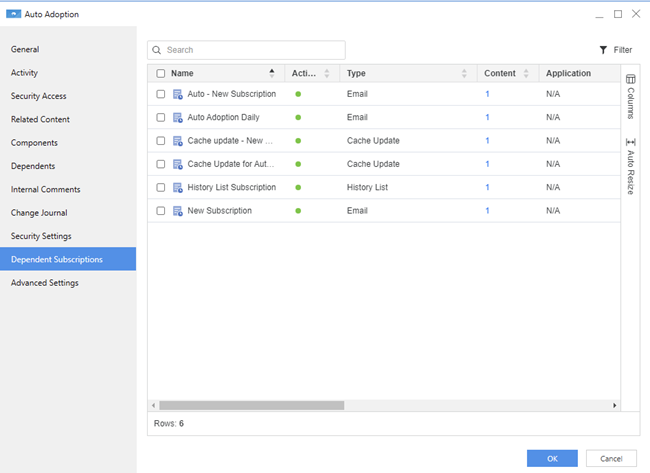
The dashboard, report, or triggers dependent subscriptions display including subscription details such as Name, Type, Application, and more.
-
Click OK.